
AI Smart Assist
AI • RAG Systems • Enterprise UX
A conversational AI assistant built inside Smarteeva’s Docusaurus ecosystem to transform how implementation specialists, support engineers, and QA teams find technical answers. Smart Assist reduces search time from minutes to seconds using a hybrid RAG pipeline, version-aware retrieval, and citation-backed responses.
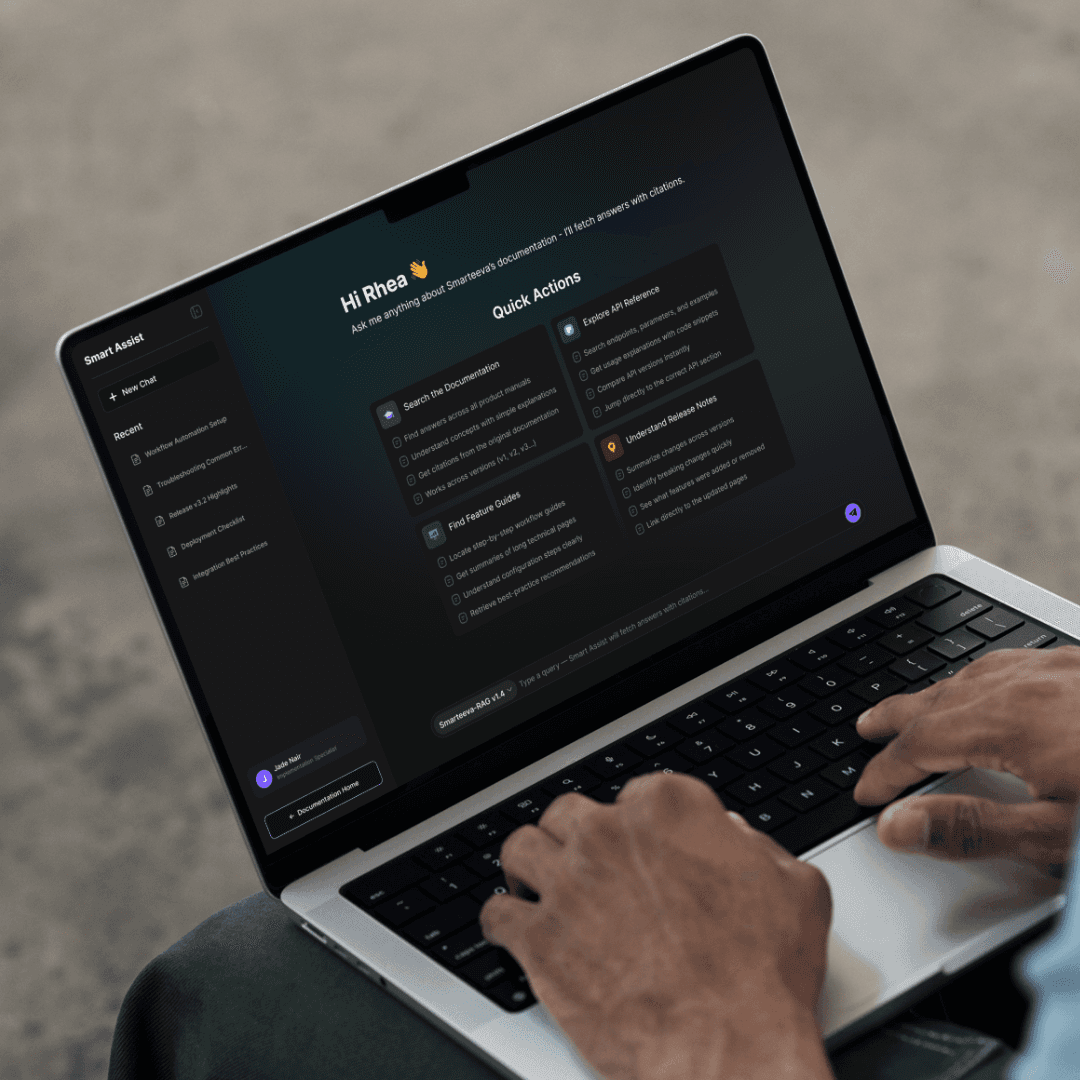
My Role — Sole Designer & Product Lead
I owned this project end-to-end as a single-person design team, responsible for:
– Defining the problem and user needs
– Designing the full information architecture
– Mapping retrieval constraints into UX patterns
– Creating all interaction flows and UI states
– Building the design system
– Writing UX and implementation specifications
– Aligning RAG behavior with the UI and system logic
There were no additional designers, product managers, or UX teams involved — I handled the entire project independently from concept to delivery.
01 — The Problem
Smarteeva’s documentation had grown to thousands of MDX pages, spread across multiple versions, modules, and workflows.
Traditional keyword search wasn’t enough.
❌ What users struggled with
Had to know the exact keyword
Couldn’t find configuration steps buried deep inside docs
Release notes lived separately and weren’t searchable
Multi-version behavior confused new users
Support teams answered the same repeat questions daily
Resulting business friction
High support load
Low adoption of documentation
Slower onboarding for customers
Internal teams constantly context-switching
The opportunity
Create an AI assistant that can:
✔ Understand natural-language queries
✔ Retrieve the exact relevant documentation
✔ Explain it in a readable way
✔ Provide citations
✔ Detect version mismatches
✔ Build trust at every step
02 — Users & Needs
Primary Users
Implementation specialists
QA engineers
Support teams
Internal developers
Customer admins
Core Needs
“Explain this feature simply.”
“Where is this configured?”
“What changed in the new version?”
“What API parameter should I use?”
“I need a trusted answer — not a guess.”
Smart Assist needed to be fast, trustworthy, readable, and deeply integrated into the workflow.
03 — Goals
Business Goals
Reduce documentation search time by 80%
Increase documentation adoption across teams
Improve onboarding for new customers
Reduce repetitive support queries
UX Goals
High readability for long AI-generated answers
Clear validation of trust (citations, version tags, confidence scores)
Smooth navigation from answer → source document
Scalable layout supporting technical depth
04 — Architecture Overview (Simplified)
Smart Assist runs on a hybrid RAG architecture tailored for documentation that changes constantly.
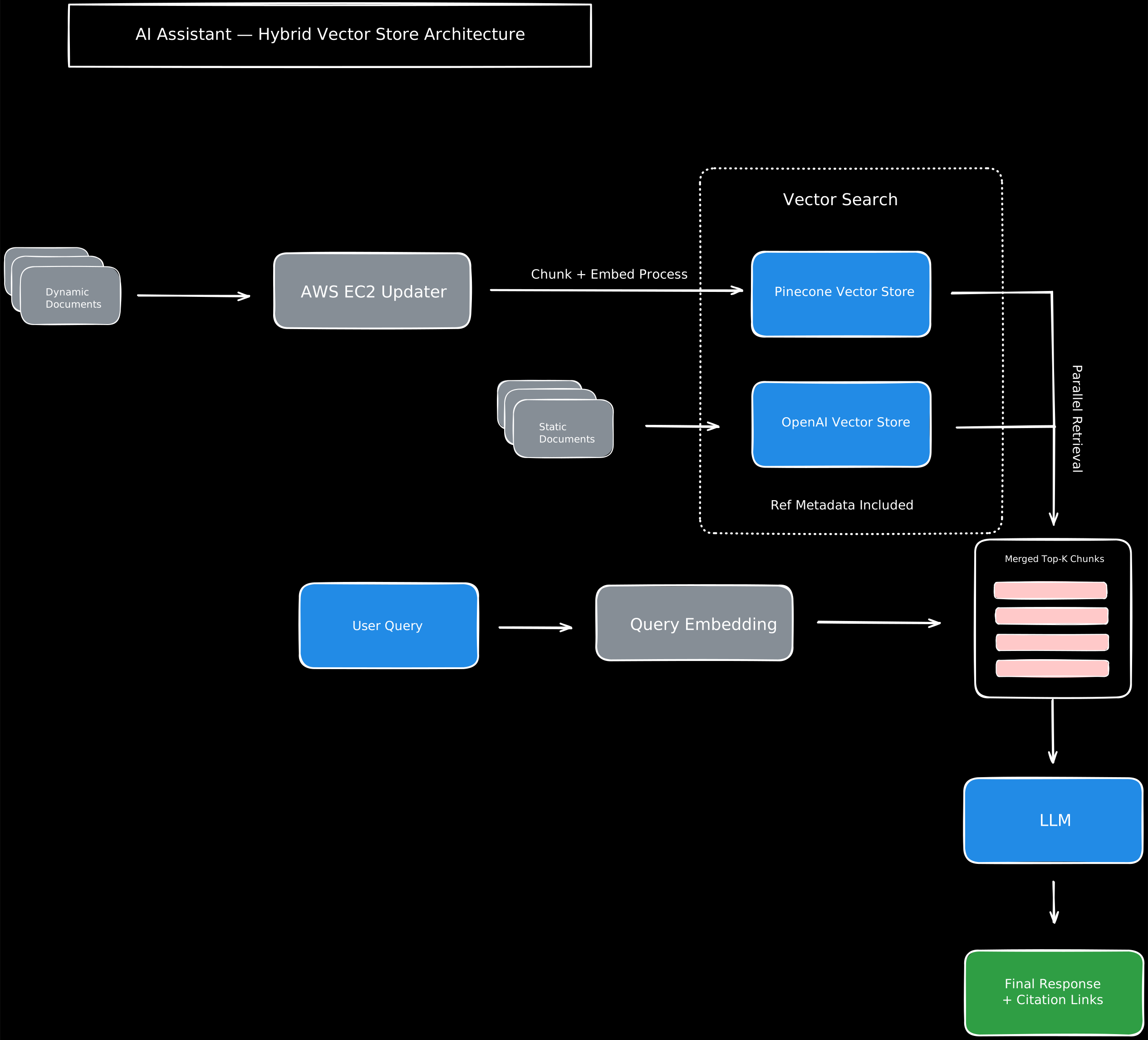
1. Stable documentation → OpenAI Vector Store
SOPs
API references
Feature descriptions
Indexed once → fast, predictable retrieval.
2. Frequently changing docs → Pinecone Vector Store
Release notes
Version updates
Changelogs
Dynamically updated.
3. Automated Update Pipeline
Triggered by admin:
Fetch MDX
Clean + chunk
Embed
Update Pinecone
Attach metadata (version, URL, type)
4. Unified Retrieval Layer
Parallel search → deduplication → Top-K merge.
5. LLM Layer
Structured answer generation with:
Markdown
Citations
Confidence scoring
Error awareness
Version awareness
6. UI Delivery
Scroll-optimized
Readable formatting
Clear fallback states
Links to source pages
05 — UX Strategy
Key UX Priorities
Trust over creativity
Citations, confidence scores, explicit version tags.Clarity for long-form responses
AI answers often exceed several paragraphs.Predictable structure
Location → Steps → Notes → Links.Support multiple states
High-confidence answer
Low-confidence fallback
No results
Version mismatch
Minimal cognitive load
Neutral surfaces + restrained color palette.
06 — Key Screens
Screen 1 — Onboarding & Quick Actions
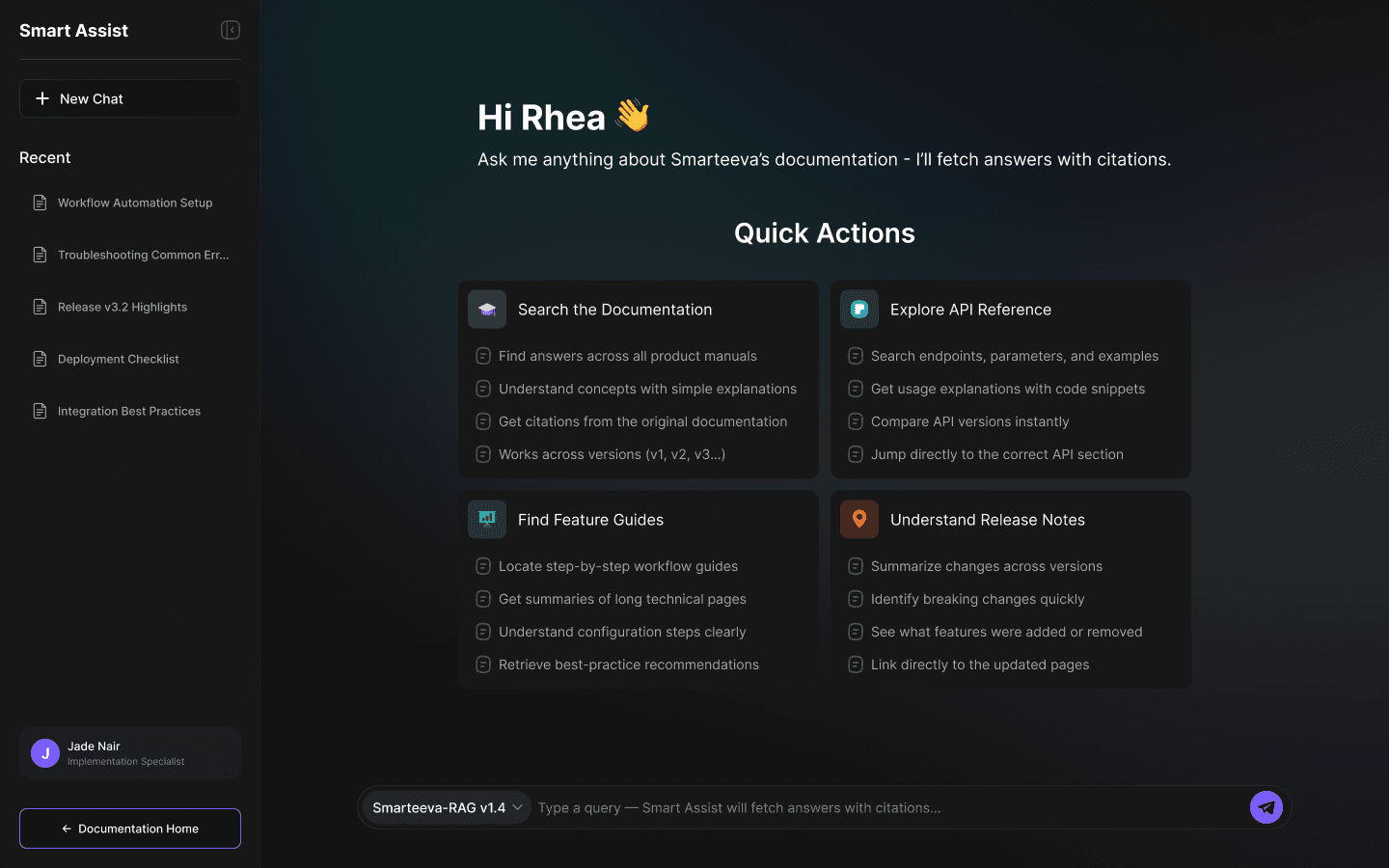
A personalized welcome experience:
“Hi Rhea 👋”
Four primary use-cases surfaced as cards
Gradient hero background to create hierarchy
Clean dark UI for focus during long reading sessions
Screen 2 — High-Confidence Retrieval
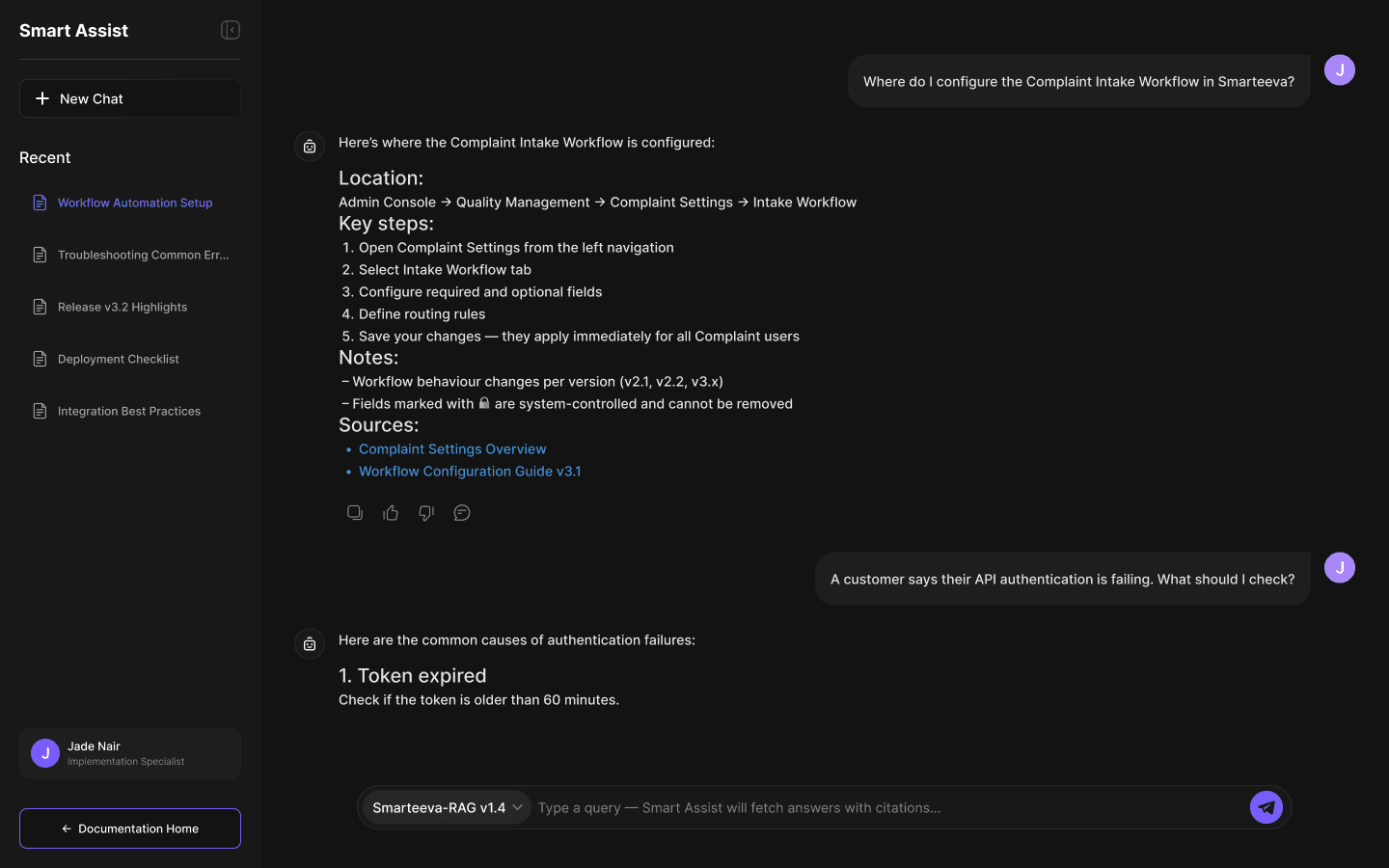
User: “Where do I configure Complaint Intake Workflow?”
The assistant returns:
Navigation path
Step-by-step instructions
Important version notes
Source citations
Reference links
Structured, predictable, and verifiable.
Screen 3 — Low-Confidence Retrieval
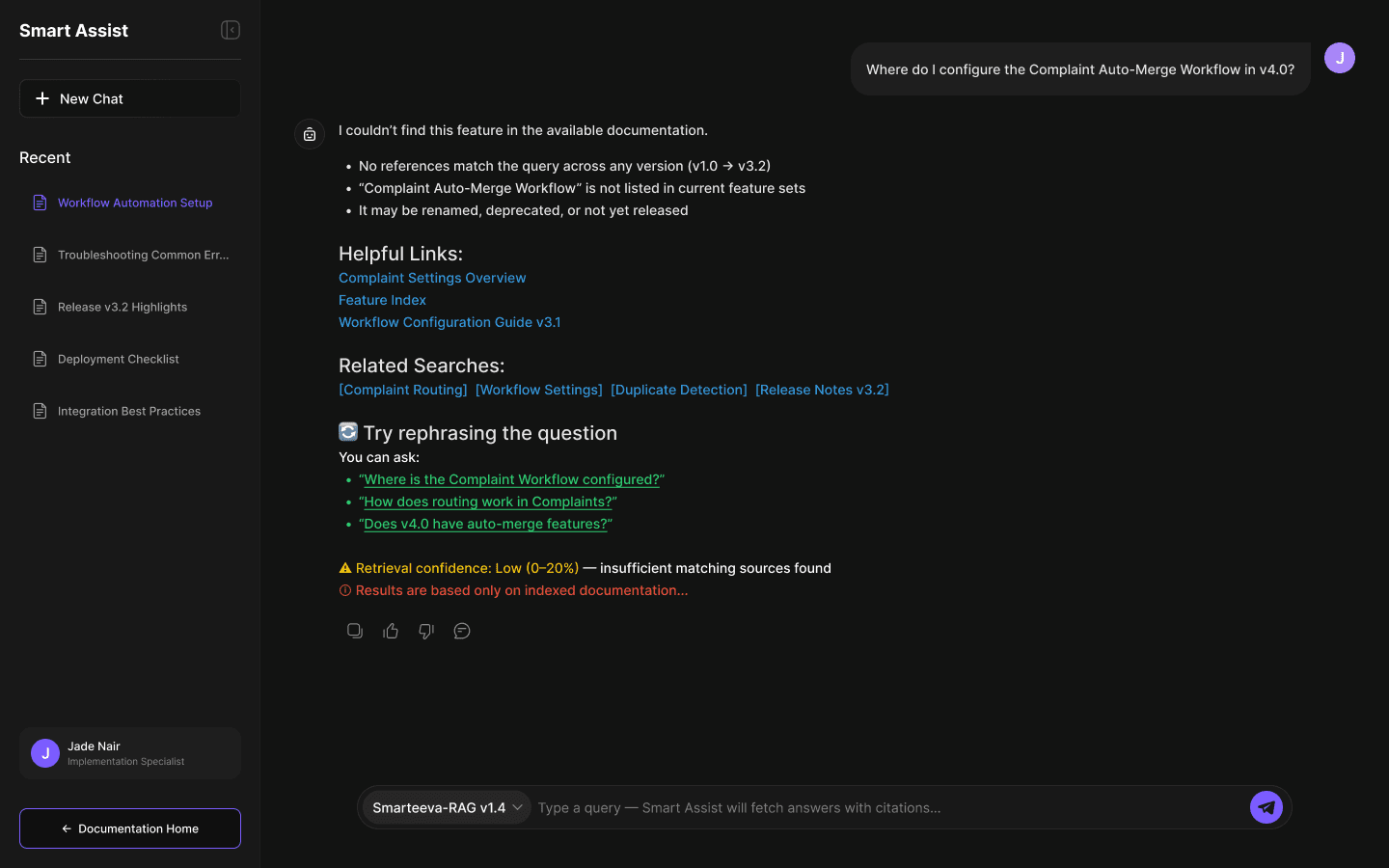
When context is insufficient:
Yellow badge (“Low confidence: 0–20%”)
Explanation of why
Related searches
Helpful links
Red disclaimer that answers only reflect indexed documentation
This prevents hallucinations and builds long-term trust.
Screen 4 — Version Mismatch
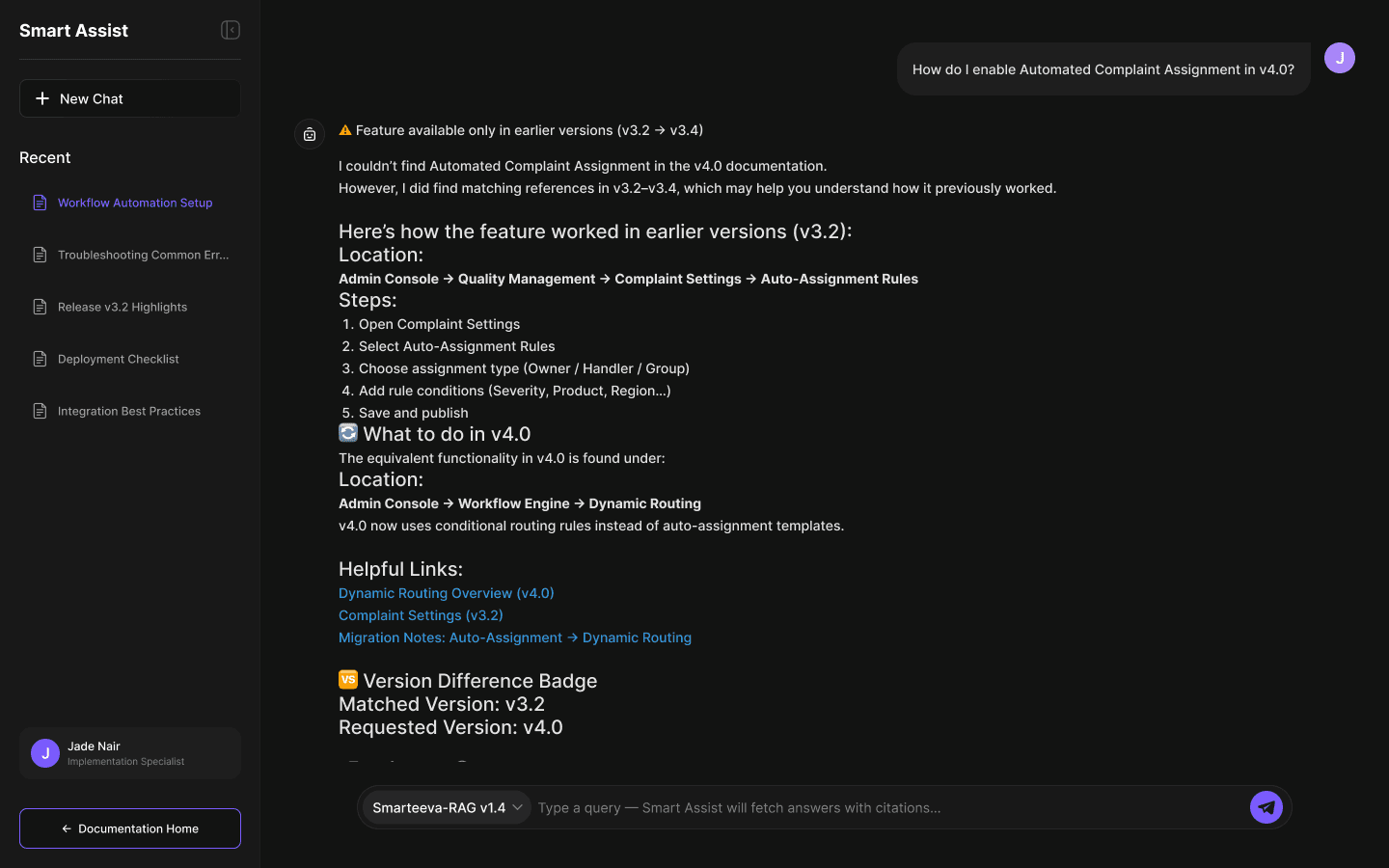
User asks about v4.0, but feature exists only in v3.2.
The UI shows:
Version difference badge
“What to do in v4.0” alternative
Mapping old behavior → new behavior
Migration notes
This screen is unique — very few AI assistants handle version awareness.
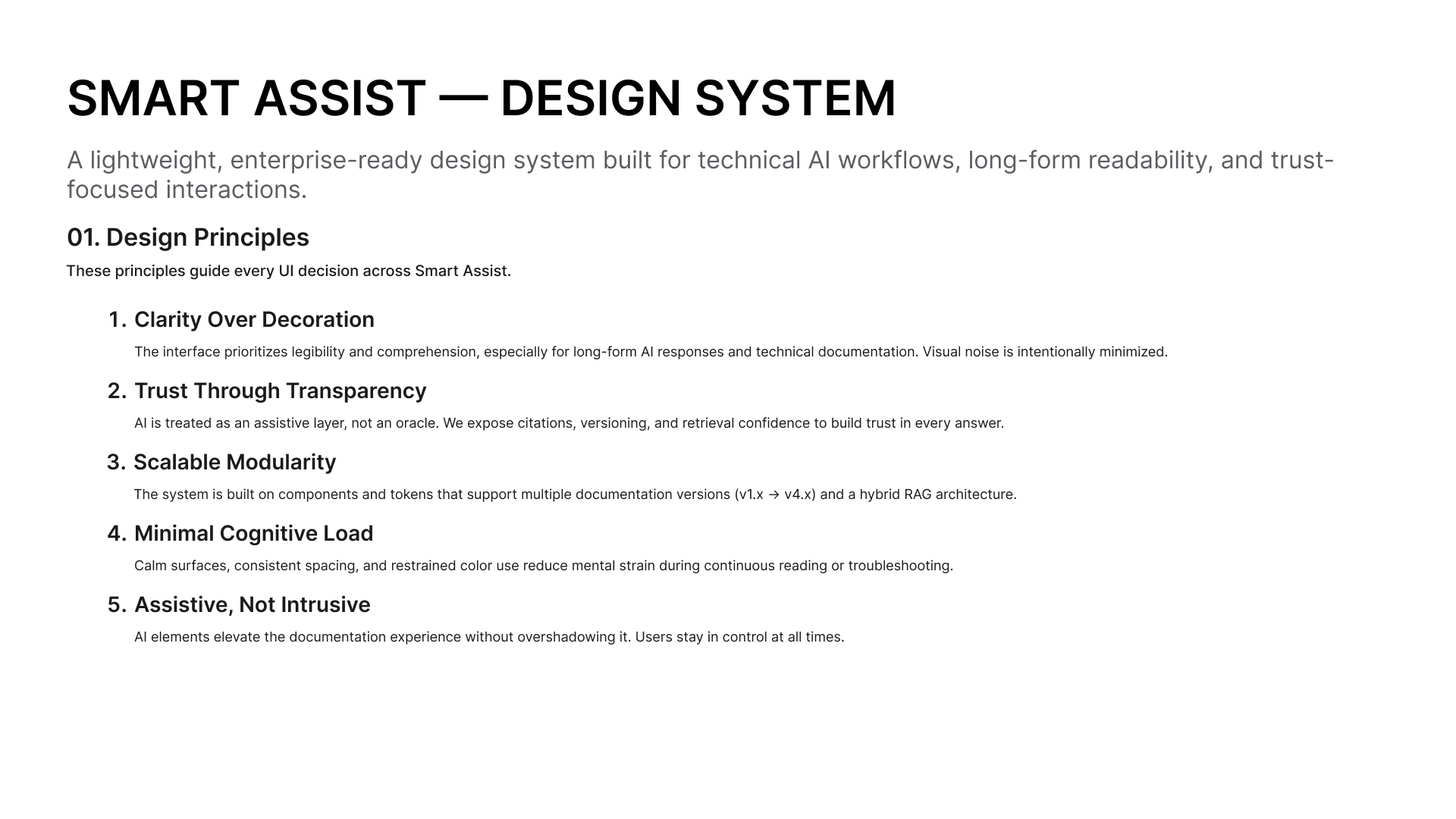
07 — Design System
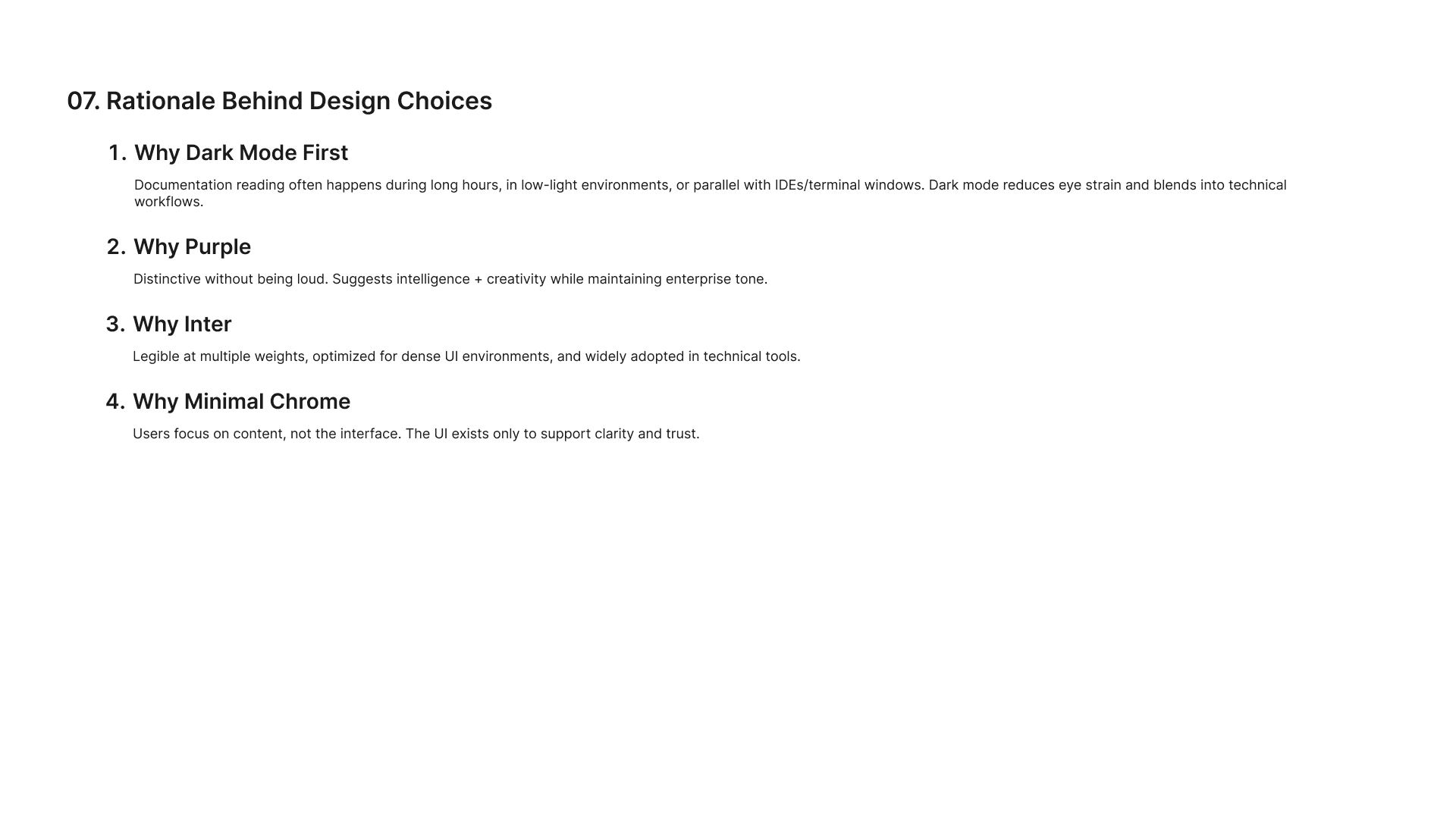
1. Design Principles
2. Color System
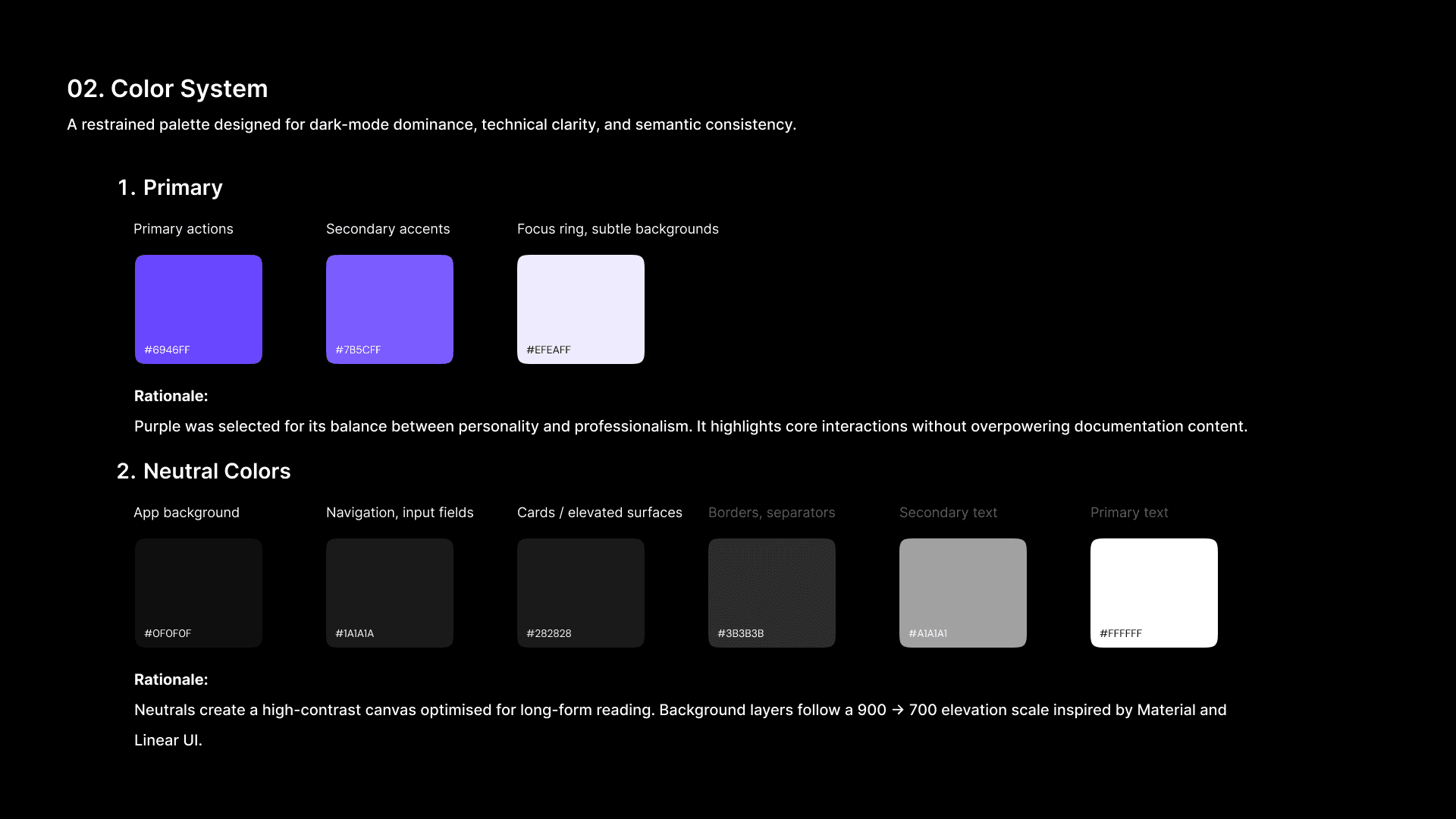
Optimized for dark mode & readability.
Primary
Purple family (#6946FF, #7B5CFF) — actionable but calm
Soft lavender (#EFEAFF) — focus rings & subtle surfaces
Neutrals
900 → 700 → 500 → 400 → 100
Inspired by Material elevation hierarchy.
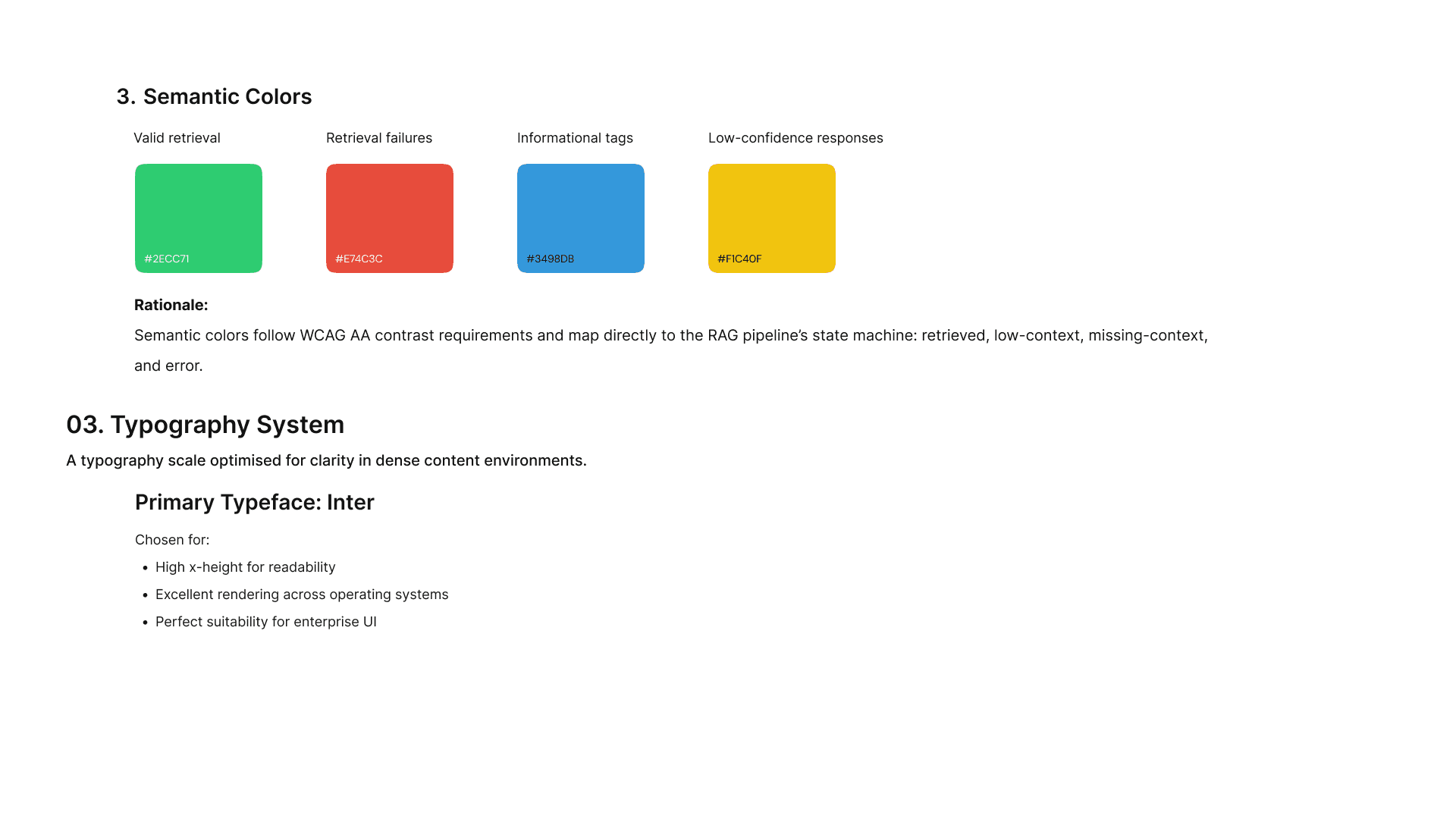
Semantic Colors
Green — successful retrieval
Yellow — low confidence
Red — retrieval failure
Blue — info tags
3. Typography System
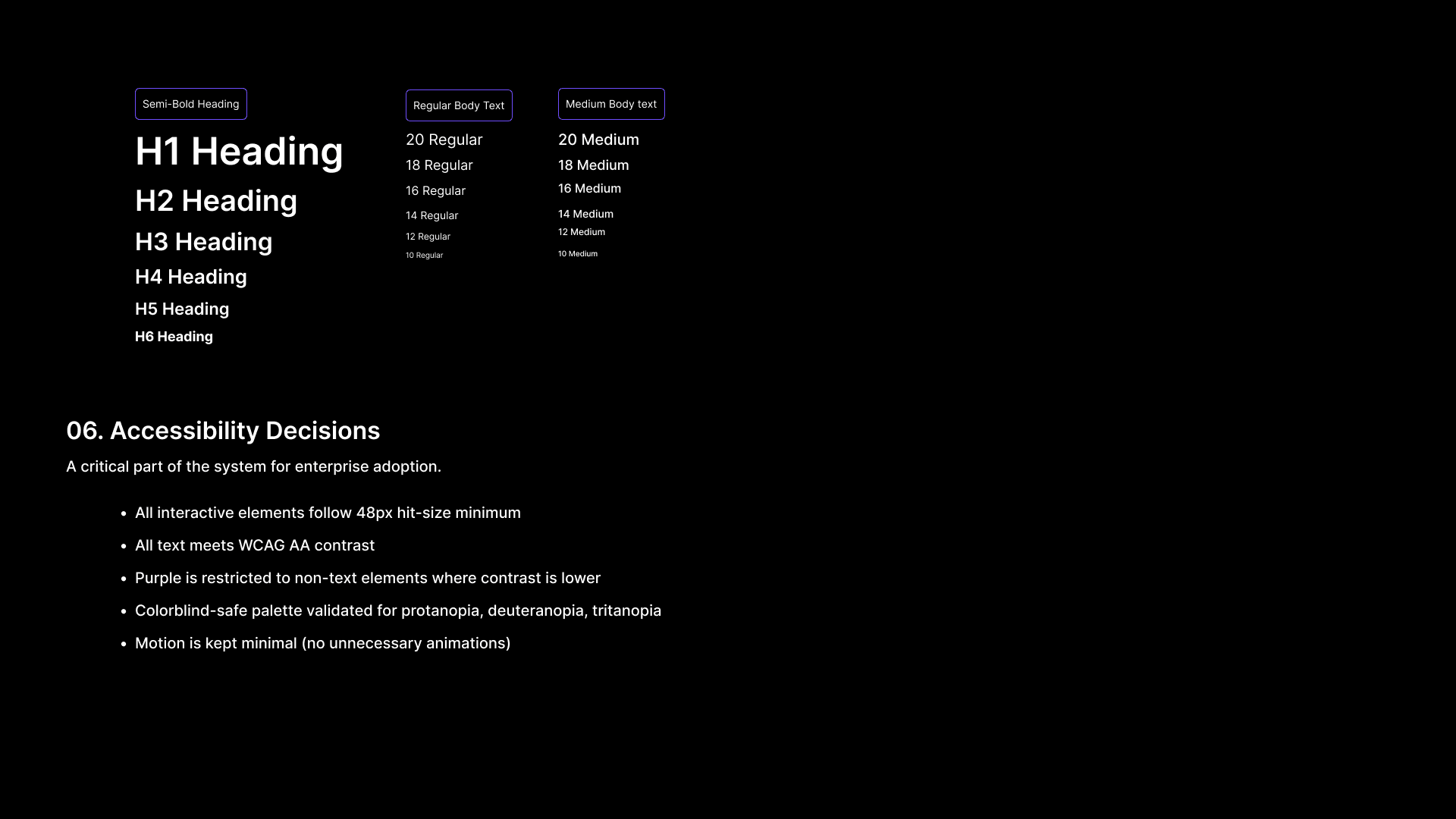
Inter
High x-height
Excellent readability
Ideal for dense UI + long-form documentation
4. Accessibility
48px touch targets
WCAG AA contrast
Purple restricted to non-text areas
Minimal motion to reduce fatigue
Colorblind-safe palette validation
08 — Impact
Quantitative
Search time reduced from minutes → seconds
Documentation adoption increased across 4 internal teams
Support escalations dropped
Faster onboarding cycles
Qualitative Feedback
“This is the fastest way to understand Smarteeva.”
“Now I actually trust the answers — the citations changed everything.”
“The version mismatch detection is genius.”
09 — Challenges & Learnings
Working independently forced me to combine product strategy, UX thinking, system reasoning, and technical constraints into one cohesive solution.
Challenges
Long technical answers required tight typography & spacing
Multi-version behavior was difficult to surface clearly
Some documentation had inconsistent formatting
Needed to minimize hallucinations at all cost
What I Learned
How to design retrieval-first interfaces
How to blend AI system constraints with UX clarity
How to structure conversations for technical accuracy
How to build trust in enterprise AI tools
How to collaborate deeply with engineering, data, and ML teams
10 — Flow Chart

11 — Final Reflection
This was a fully self-directed project — every UX decision, architectural insight, design detail, and deliverable was created solely by me.
Smart Assist became one of the most impactful internal tools in the product ecosystem.
It not only made documentation searchable — it made it understandable, verifiable, and trustworthy.
It strengthened my ability to design:
AI-first workflows
Complex enterprise UX
Multi-version technical systems
Scalable design systems