AI Testing Platform
AI Tools • Enterprise UX
A unified platform for testing, comparing, and validating LLM outputs across multiple models and environments. Designed to help engineering, QA, and R&D teams benchmark model performance, diagnose failures faster, and centralize all prompt testing workflows into one predictive, visual system.

Project Overview
Before this platform, LLM testing inside Smarteeva was completely fragmented:
Tests ran from scripts
Results lived inside console logs
Model comparisons happened across multiple tools
Token usage and latency weren’t visible
Expected vs actual behavior couldn’t be validated cleanly
As AI-driven features expanded across the product suite, teams needed a central, structured, and transparent testing environment.
I designed the entire AI Testing Platform end-to-end, defining the UX for:
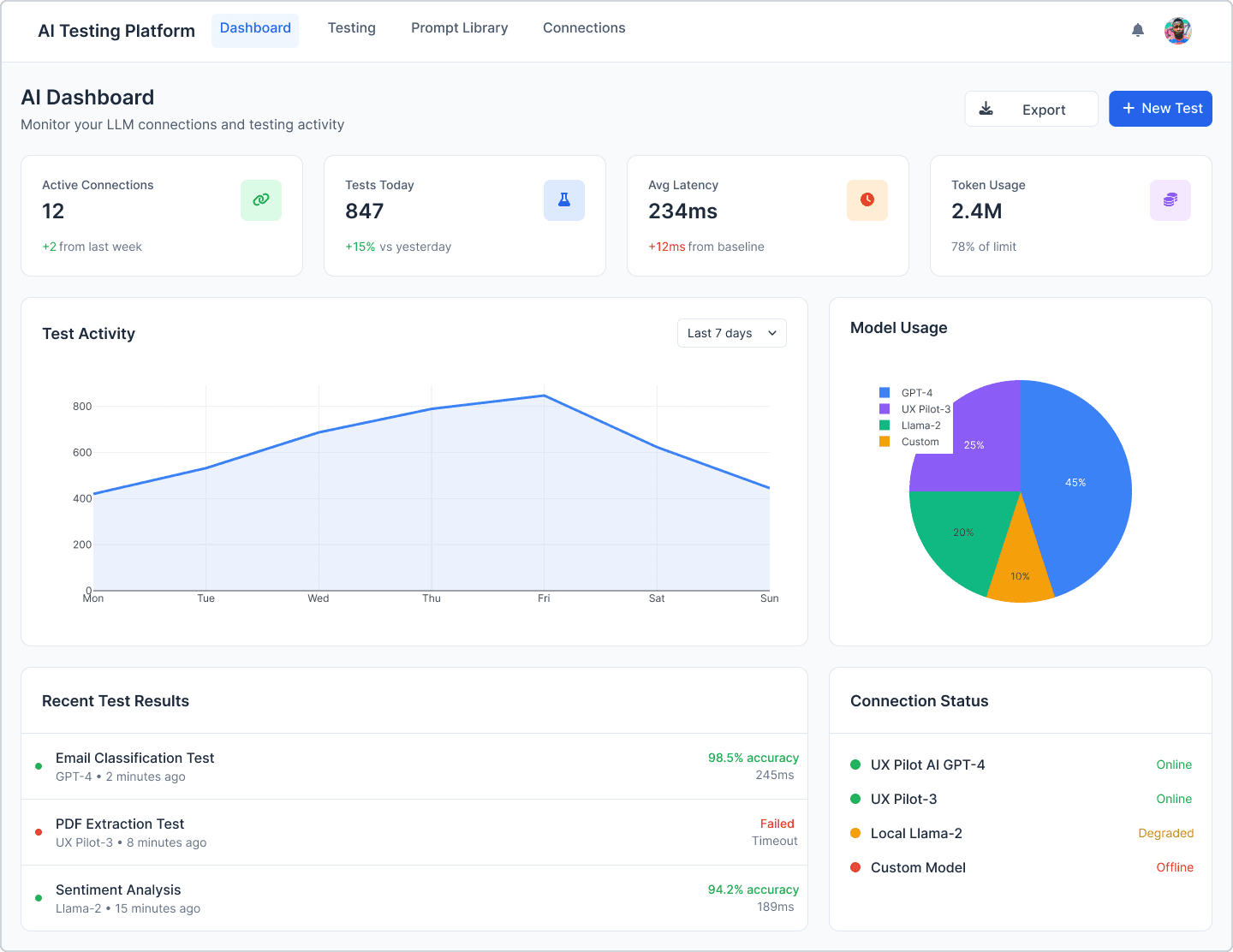
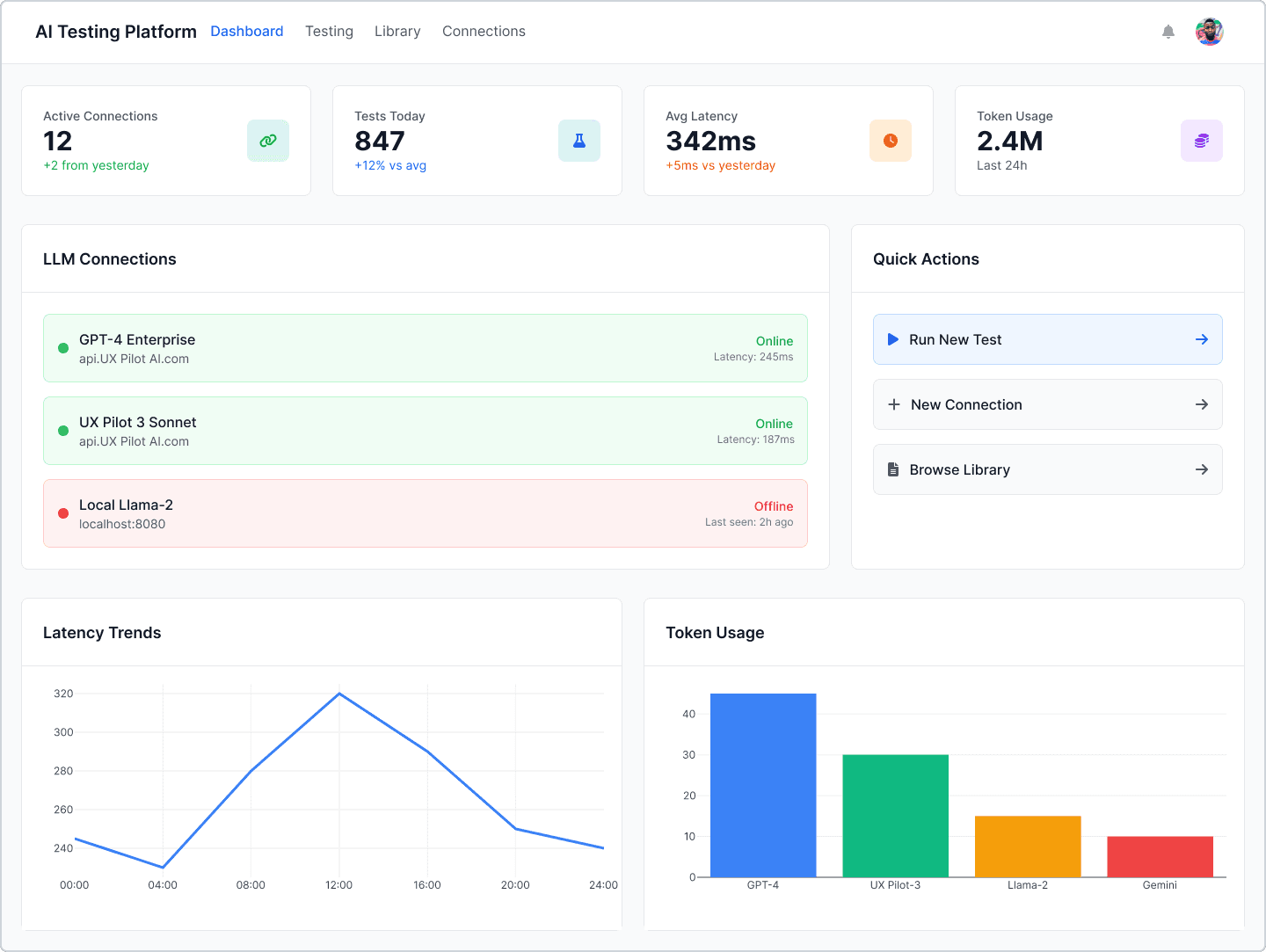
Model performance dashboard
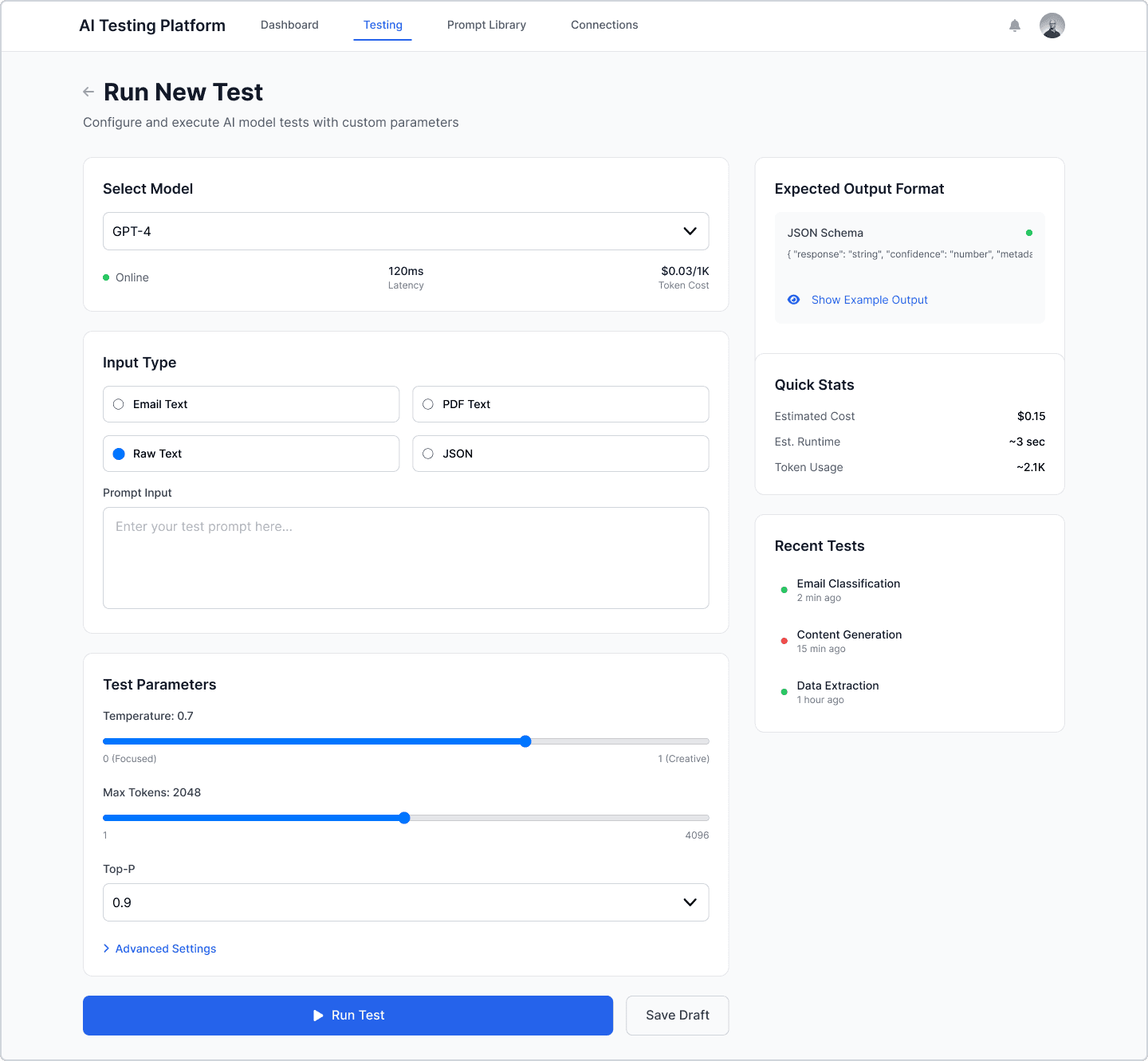
Prompt execution & test controls
Expected vs actual validation
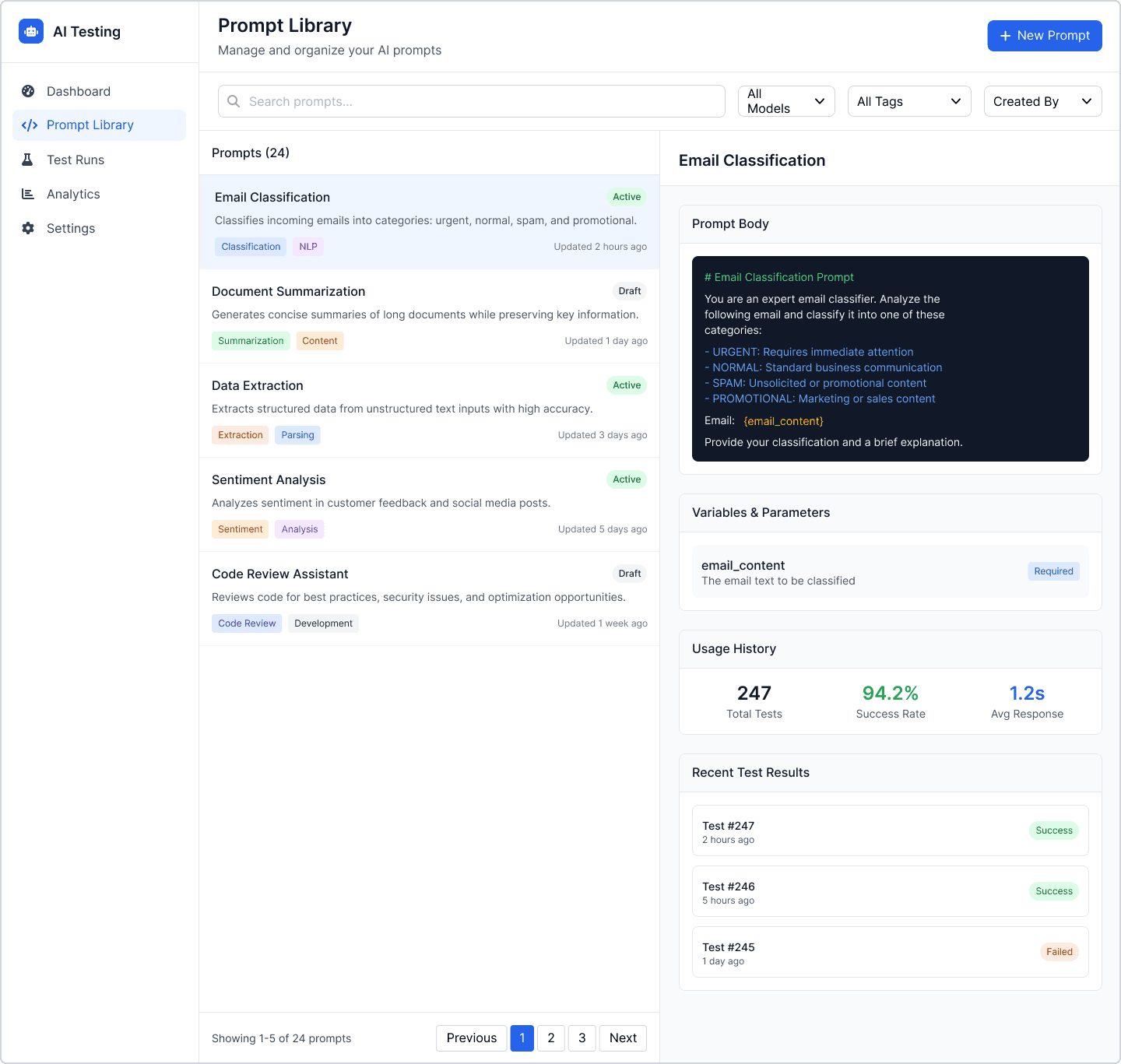
Prompt library & versioning
Model connection management
The mockups shown are AI-reconstructed (to protect confidential UI) but fully based on my original workflows and structure.
This platform became Smarteeva’s single source of truth for LLM accuracy, latency, token usage, and model reliability.
The Problem
❌ Before the Platform
Testing prompts required writing code
No unified dashboard for model health
Switching tools to compare outputs
No visibility into latency or token cost
Errors buried in logs
No structured way to maintain prompt versions
Debugging a single failed test could take hours
❗ Core Pain Points
No clarity on model reliability
Testing was slow and inconsistent
No cross-environment visibility (dev/stage/prod)
No validation for expected vs actual behavior
No historical traceability or trends
❗ Business Impact
Longer investigation cycles
Slower release of AI features
High engineering dependency
Inconsistent performance across clients
No measurable basis for evaluating LLM ROI
Users / Audience
AI engineering
QA automation teams
LLM R&D
Integration engineering
Product & platform leads
User Needs
Run tests instantly
Compare models visually
Understand failures clearly
Track performance over time
Manage thousands of prompts
Validate expected vs actual structure
Goals
Centralize all LLM testing workflows
Make prompt testing fast, visual, and predictable
Reduce debugging time by 50–60%
Provide clear analytics for latency, tokens, reliability
Introduce a scalable framework for future AI tools
Architecture Overview
1. AI Dashboard
Active model connections
Recent test runs
Latency trends
Token usage insights
Model status indicators
Failure rate charts
2. Run New Test
Select model
Enter prompt or JSON structure
Adjust temperature, tokens, top-p
Estimated cost + token usage preview
Quick-run execution pipeline
3. Prompt Library
Search & manage prompt library
Versioned prompt history
Metadata, usage rate, success rate
Variables & parameters
One-click “Run Test”
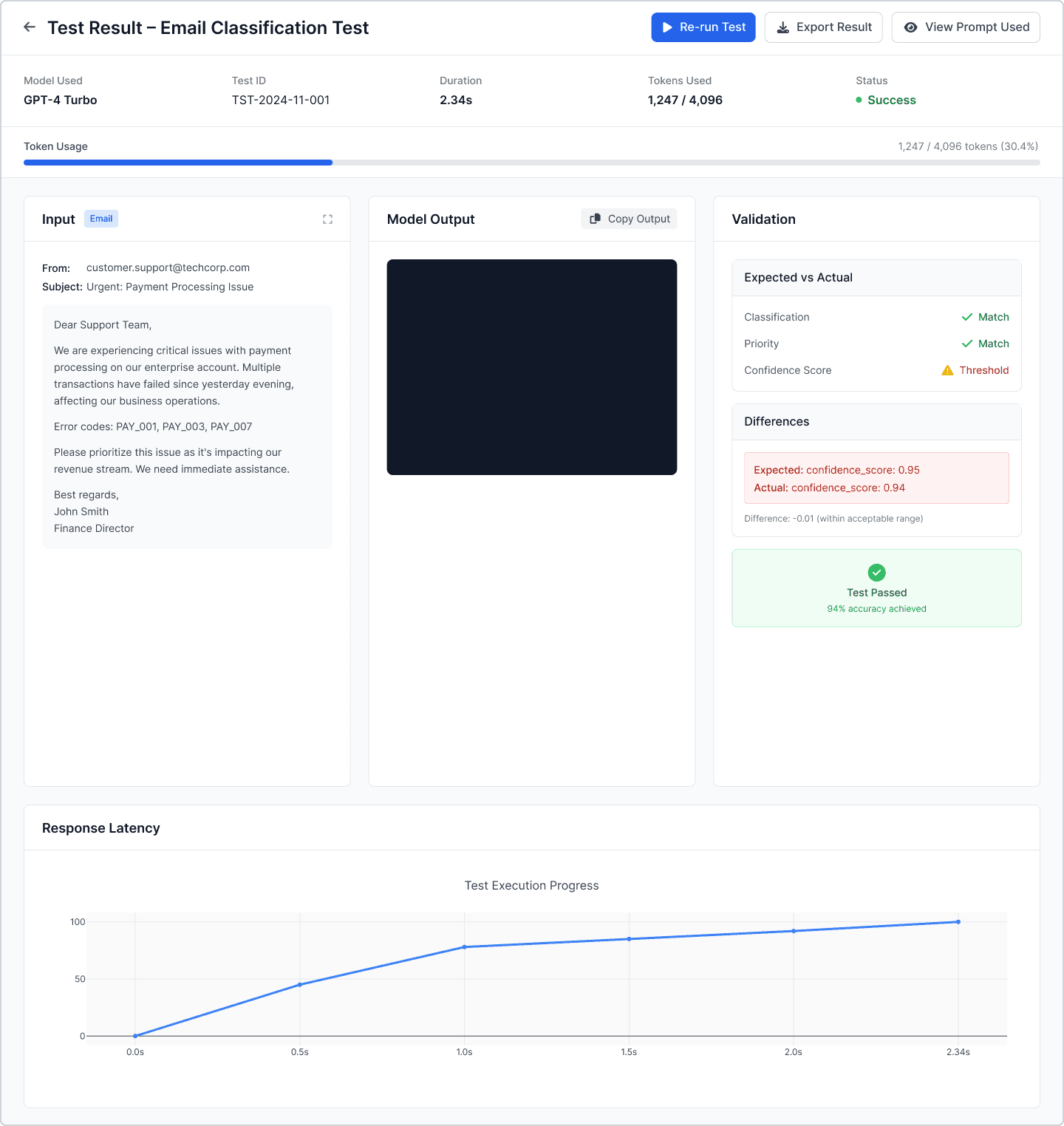
4. Test Result View
Side-by-side input/output
Expected vs actual validation
Confidence / scoring widgets
Token usage
Latency timeline
Highlighted differences (field-by-field)
Process
1. Research
Interviews with engineering, QA, and R&D
Mapped script-based testing workflows
Identified evaluation criteria (latency, accuracy, structure, tokens)
2. Information Architecture
A clear flow:
Dashboard → Run Test → View Result → Edit Prompt → Re-Test
Separated prompts from executions to avoid UI overload.
3. Dashboard Layout
KPI cards
Performance charts
Recent test activity
Model health and connection status
4. High-Fidelity Wireframes
Detailed flows optimized for debugging
Comparison-first layouts (input vs output)
Expected vs actual validation modules
Safe defaults for model parameters
5. Visual UI (AI-Reconstructed)
Modern enterprise design language
Clean panels and code-like formatting
UI rebuilt using AI based on original designs
Screens anonymized for confidentiality
6. Documentation
Test parameter rules
Error-state patterns
Prompt versioning structure
Evaluation framework
Impact
Quantitative
End-to-end test flow reduced 70%
Debugging time reduced 60%
Token usage visibility improved model selection
Engineering dependency for testing reduced >50%
Qualitative
“Debugging finally feels transparent.”
“Side-by-side output changed how we test.”
“We can evaluate model behavior much faster.”
Challenges
Designing for highly technical users
Representing complex metrics cleanly
Supporting multiple input formats
Balancing simplicity with advanced settings
Ensuring confidentiality in the UI while sharing case study visuals
Reflection
This project strengthened my expertise in AI tooling, DevTools UX, and data-heavy enterprise interfaces.
By converting fragmented testing processes into a structured, centralized workflow, the platform accelerated AI development velocity and established a scalable foundation for future LLM integrations.
This case study also demonstrates my ability to maintain confidentiality while showcasing high-fidelity UX thinking.
Screenshots